Service robots · Hospitals · Hotels · Robotics
Service Robots in Hospitals and Hotels: Use Cases, ROI and Deployment Checklist
By Raivens Editorial Team · · Updated · 5 min read
Key takeaways
- Service robots deliver the most value on frequent, predictable indoor routes such as medicine runs, sample transport and room deliveries.
- LiDAR-based robots navigate from a stored map, but elevators and doors need integration agreed with the building's vendors.
- Judge ROI with your own trip counts and staff-time observations, not with vendor averages.
- Reliable Wi-Fi along every route, clear corridors and trained staff matter as much as the robot itself.
Service robots in hospitals and hotels are autonomous indoor robots that carry items, guide visitors and take over repetitive runs, so staff can spend more time with patients and guests. They add the most value on frequent, predictable routes, such as medicine and sample runs, room deliveries and front-desk guidance, in buildings with reliable Wi-Fi, step-free floors and elevators that can be integrated.
What service robots do in hospitals and hotels
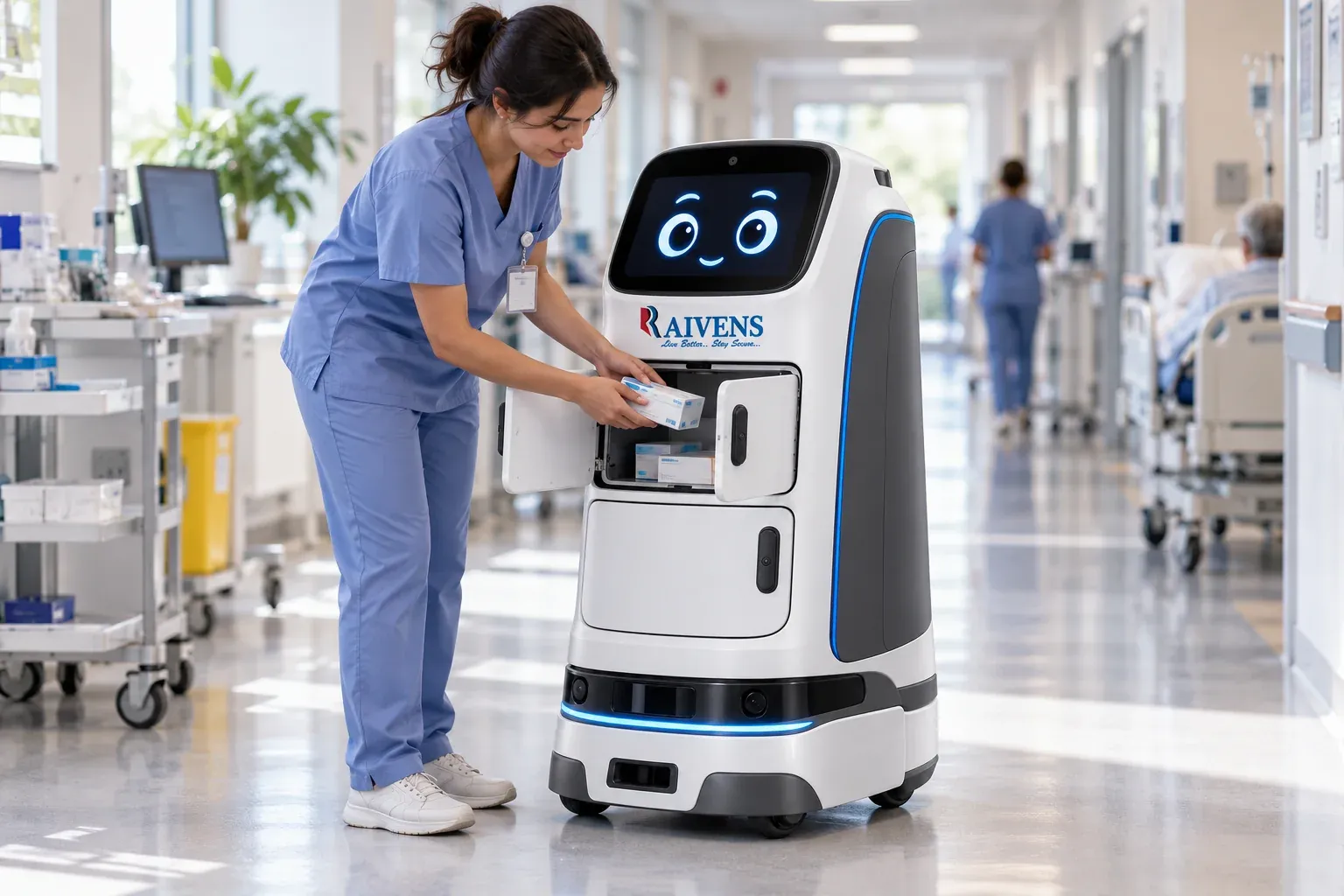
A delivery robot is a mobile base with lockable compartments or trays, a touchscreen and a set of sensors. A guide robot puts more emphasis on the screen and on voice interaction. Both move on their own using a map of the building.
| Setting | Typical task | What staff gain |
|---|---|---|
| Hospital wards | Medicines, supplies and documents from pharmacy or stores | Fewer walking trips for nurses |
| Laboratories | Samples between wards and the lab | Predictable, logged transport |
| Hospital reception | Wayfinding and escorting visitors | Front-desk time for complex queries |
| Hotel rooms | Amenities, towels, chargers and room-service orders | Service staff stay on their floors |
| Hotel restaurants | Dishes to tables and plates back to the kitchen | Servers spend more time with guests |
| Malls and lobbies | Directions, information and promotions | Consistent help at busy times |
In hotels, an in-room guest touchscreen can send a request straight to the robot fleet, so an order for towels becomes a dispatched delivery without a phone call.
Where robots struggle
Robots are weaker at tasks that vary every time, need judgment or involve heavy, awkward loads. Routes with steps, steep ramps, crowded open-plan spaces or frequent layout changes reduce their usefulness. Knowing these limits early keeps a pilot focused on routes where robots can succeed.
How service robots navigate
Most indoor service robots use LiDAR, a laser scanner that measures distances all around the robot, to build a map of the building during a one-time mapping run. In operation, they compare live scans with that map to know where they are, plan a path and steer around people and obstacles. Cameras and short-range sensors add coverage close to the robot. Site teams set virtual walls, no-go zones and speed limits for busy corridors, and robots return to their charging docks on their own.
Elevators and doors take the most planning. A robot that serves several floors needs an interface to the elevator controller, or a retrofit device that calls the car and selects floors. Automatic and access-controlled doors need similar integration, agreed with the building’s elevator and security vendors.
Hospital and hotel specifics
Hospitals add requirements that hotels rarely face. Robot surfaces and compartments must be easy to clean between runs under the hospital’s infection-control routine. Controlled medicines need locked compartments and a log of who sent and received them. Robots must never block fire exits or evacuation routes, so agree how they behave when the fire alarm sounds.
Hotels focus on the guest experience. Decide how the robot announces its arrival, whether by a call to the room phone or a message on the in-room screen, how long it waits at the door, and when deliveries stop at night so corridors stay quiet.
How to evaluate ROI without guesswork
Robot ROI depends on your building and your workflows, so build the case from your own observations rather than vendor averages. Walk the routes with the people who do the work today and score each factor.
| Factor | Questions to ask | Signals in favor of robots |
|---|---|---|
| Trip volume | How many runs per shift, on which routes? | Many repeated runs on the same routes |
| Staff time | Who walks today, and what would they do instead? | Skilled staff doing fetch-and-carry work |
| Service quality | Do deliveries run late, go missing or stop at night? | Inconsistent timing and gaps on night shifts |
| Chain of custody | Do you need a record of who sent and received each item? | Medicines, samples and valuables |
| Experience | Will robots add to or distract from the guest or patient experience? | A brand that values modern, contactless service |
| Full cost | Purchase or lease, integration, Wi-Fi, maintenance, training | Modest integration needs |
| Risks | Clutter, ramps, layout changes, staff concerns | Clear corridors and engaged staff |
If most rows point away from robots for a route, choose a different route rather than forcing the case. Then prove it with your own numbers.
Running a focused pilot
A short pilot on the right routes tells you more than a long trial across the whole building.
- Pick one or two routes with high trip volume and few obstacles, such as pharmacy to a busy ward, or kitchen to one hotel floor.
- Measure the baseline for a normal week: trips, delivery times and the staff time involved.
- Set clear rules for who loads and receives, what the robot carries and what happens when it cannot finish a task.
- Run in live operation, with daily check-ins at first and weekly reviews after that.
- Compare against the baseline and gather feedback from staff, patients or guests before adding routes.
The staff who share corridors with the robots often decide whether a pilot becomes a rollout, so listen to them early.
Deployment checklist
- Wi-Fi: survey coverage along every route and in elevator lobbies, and check roaming between access points.
- Floors and routes: note thresholds, ramps, carpets, door widths, narrow corridors, and glass walls or mirrors, which can confuse laser scanners.
- Maps: complete the mapping run, define stations, no-go zones and speed limits, and plan map updates after renovations.
- Elevators: agree the integration method with your elevator vendor and decide when robots may ride with people.
- Doors: list automatic, access-controlled and fire doors on each route and how the robot will pass each one.
- Charging: place docks out of the way, with power and Wi-Fi coverage.
- Access and privacy: decide who can open compartments, how PINs or cards are issued, and how any camera data is handled.
- Staff training: loading and sending deliveries, the emergency stop, simple fault recovery and who looks after the robots on each shift.
- Communication: tell staff, patients and guests what the robots do and how to share corridors with them.
- Support: agree remote monitoring, spare parts and a contact for issues.
Where Raivens fits
RAIVENS service robots are autonomous indoor delivery and guide robots for hotels, hospitals and malls. They use LiDAR-based navigation on a ROS 2 software stack, carry lockable compartments and have a touchscreen face for interaction, with a fleet dashboard for monitoring. For hotels, an in-room guest touchscreen lets guests place orders that robots deliver. Elevator and door integration is available on request. Raivens develops the electronics, software and cloud tools in-house and supports installation and after-sales service. See the robotics and drones solutions page for the wider range, or contact Raivens to plan a pilot route in your building.
Frequently asked questions
Can a service robot use elevators on its own?
Yes, if the elevator is integrated. The robot needs a way to call the car, choose a floor and know when the doors are open, either through an interface to the elevator controller or through a retrofit device. The method depends on the elevator make and model and must be agreed with the elevator vendor. Raivens offers elevator and door integration for its service robots on request.
Do service robots replace hospital or hotel staff?
In practice, they take over repetitive fetch-and-carry trips so that staff can spend more time on work that needs people, such as patient care, guest service and problem-solving. Robots still need people to load and unload them, handle exceptions and look after the fleet. Introduce them as a tool for the team, and involve staff in choosing routes and rules from the start.
What Wi-Fi does a service robot need?
A robot needs stable Wi-Fi along every route, including elevator lobbies, so it can receive tasks, report status and stay connected to the fleet dashboard. Seamless roaming between access points matters more than raw speed. Many robots keep navigating during short dropouts because the map is stored on board, but new tasks and alerts may pause. Survey coverage before deployment and fix weak spots first.
How do service robots avoid patients and guests in busy corridors?
They use LiDAR and other sensors to detect people and obstacles, plan paths around them, slow down in crowded areas and stop when something blocks the way. Sites can set lower speed limits and no-go zones for wards, lobbies and other busy or sensitive areas. Staff should know where the emergency stop is, and every route should be tested during the pilot.