Payment soundbox · QR payments · Banking & FinTech
How a Payment Soundbox Works: From QR Scan to Voice Alert
By Raivens Editorial Team · · Updated · 5 min read
Key takeaways
- A payment soundbox announces QR payments aloud after the merchant's bank or payment provider confirms the credit, usually within seconds.
- The device sits outside the payment path, so payments still succeed when it is offline, and alerts can be queued and replayed.
- Alerts confirmed by the acquirer's platform protect merchants from fake payment screenshots.
- At scale, connectivity, audio in noisy shops, battery life, remote management and logistics matter more than the box itself.
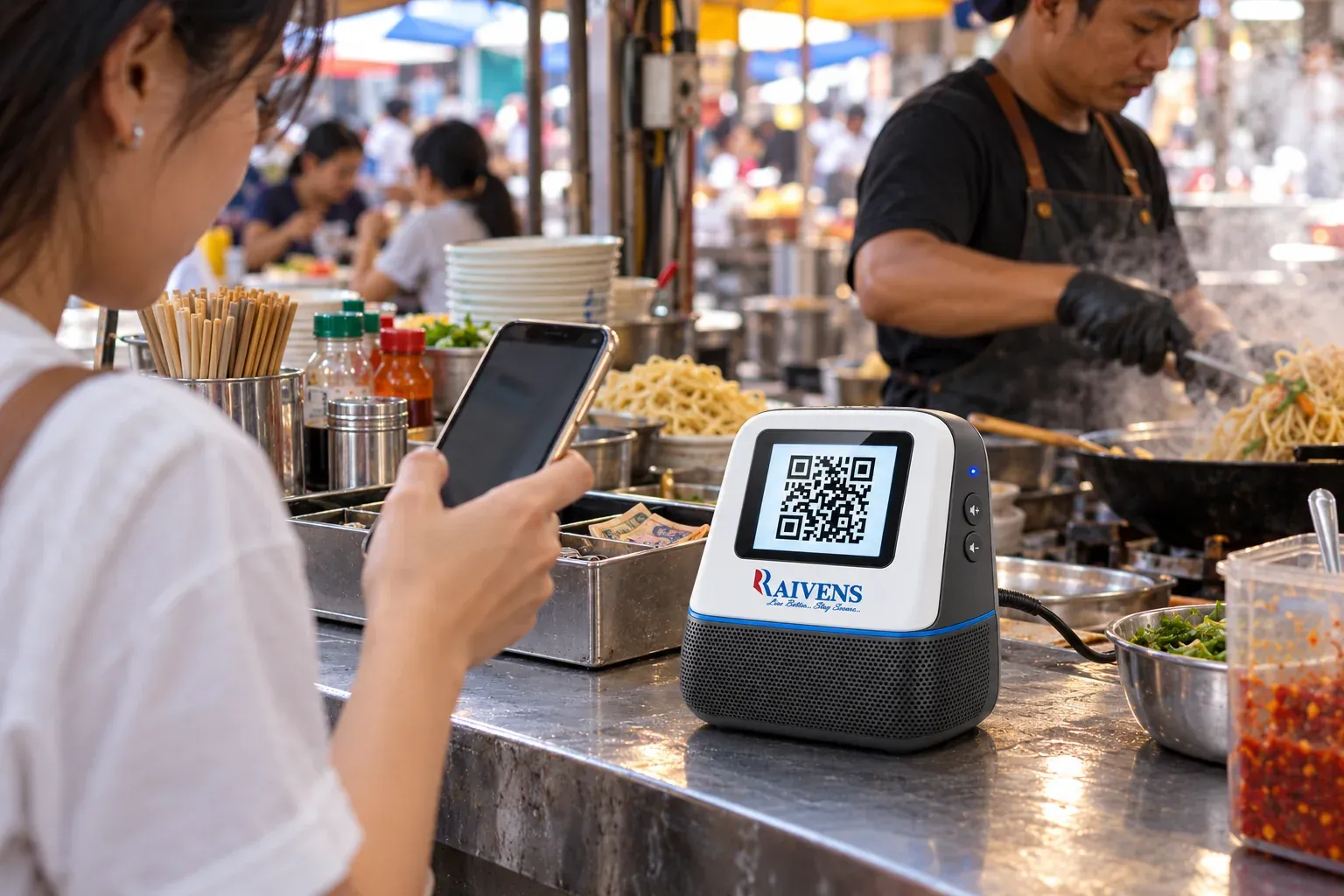
A payment soundbox is a small connected speaker that announces each payment a merchant receives through a QR code, usually within seconds. The customer scans and pays, the merchant’s bank or payment provider confirms the credit, and its platform pushes a message over 4G or Wi-Fi to the device, which reads the amount aloud. Merchants get proof of payment without checking a phone, and banks get an always-on touchpoint at the counter.
What a payment soundbox is
A soundbox combines a cellular or Wi-Fi modem, a loudspeaker, a rechargeable battery, a few buttons and, on many models, a QR display. It works with instant QR payments such as UPI, PIX, PayNow and similar real-time payment schemes, where money moves from account to account in seconds. The device does not accept cards or cash and never touches the customer’s money. Its one job is to tell the merchant, reliably and out loud, that a payment has arrived.
How a payment soundbox works, end to end
- The customer scans the QR code at the counter with a banking or payment app and approves the payment.
- The payment scheme moves the money. The customer’s bank debits the account, and the scheme routes the credit to the merchant’s bank or payment provider, often called the acquirer.
- The acquirer’s platform detects the credit. It matches the merchant account, or the payment address encoded in the QR code, to the serial number of the soundbox assigned to that merchant.
- The platform pushes a notification to the device over 4G or Wi-Fi, typically through an encrypted connection and a lightweight messaging protocol such as MQTT.
- The device announces the payment. It validates the message, speaks the amount in the merchant’s chosen language and shows it on the display if there is one.
- The device acknowledges receipt, so the platform knows the alert was delivered and can resend it if not.
Two details matter. First, the soundbox sits outside the payment path: if it is switched off, the payment still succeeds and appears in the merchant’s statement or app. Second, the alert comes from the acquirer’s platform, not from the customer’s phone, so a fake “payment successful” screen no longer fools a busy shopkeeper.
Static and dynamic QR codes
Most soundboxes pair with a static QR code printed on a stand or sticker, and the customer enters the amount. Some deployments use a dynamic QR code that already carries the amount, generated by a billing system or shown on a screen. The voice alert flow is the same for both.
Why merchants use them
- Hands-free confirmation. The merchant hears the amount while serving the next customer.
- No smartphone needed. Stall owners, small shops and counter staff get alerts without a phone of their own.
- Fewer disputes. A clear announcement and a replay button settle questions about whether a payment went through.
- Local languages. Alerts in the language staff speak make the device useful to everyone at the counter.
Why banks and payment providers deploy them at scale
For an acquirer, the soundbox is a retention and engagement tool. A merchant who hears every payment is more likely to keep promoting the QR code, and the device keeps the provider’s brand in view at the point of sale. Device heartbeats show which merchants are active, which helps field teams plan visits and spot outlets that have stopped transacting. A managed fleet can also receive service messages and new features through remote updates, without a field visit.
What to look for when buying at scale
A small pilot hides problems that a large rollout exposes. Evaluate each area below under real field conditions, not on a desk in the head office.
| Area | What to check | Why it matters |
|---|---|---|
| Connectivity | 4G with fallback options, Wi-Fi, SIM and data plan management | Shops in basements and crowded markets often have weak signal |
| Alert speed | Time from payment to announcement on live networks | Merchants wait at the counter until they hear it |
| Audio | Loudness, clarity at full volume, language and voice quality | Noisy markets drown out small speakers |
| Battery | Real-world standby time, charging port, battery health over time | Merchants unplug devices and move them around |
| Reliability | Message queuing, retries, no duplicate alerts, replay of recent payments | Missed or repeated alerts erode trust |
| Remote management | Over-the-air firmware updates, remote configuration, health dashboards | Field visits to every shop are slow and costly |
| Security | Device authentication, encrypted messaging, signed firmware | A spoofed alert is as damaging as a fake screenshot |
| Integration | Interface to your acquiring platform or payment switch | Sets how quickly you can go live |
| Logistics | Pre-provisioning, serial-number tracking, kitting, returns and repairs | Decides how fast working devices reach merchants |
Also ask for compliance documentation per model for every market where you plan to deploy, and for a clear plan for spare units and repairs.
Who owns what
Before a rollout, agree on responsibilities in writing. The device maker usually owns hardware, firmware and the device management platform. The acquirer owns merchant onboarding, the link between merchant accounts and device serial numbers, and the notification feed. Field partners own installation and merchant training. Gaps between these roles can slow a rollout as much as any hardware issue, so name an owner for each step.
Languages and voice prompts
Soundboxes speak in one of two ways. Pre-recorded prompts sound natural, but each new language or phrase needs an audio update pushed to the device. Text-to-speech can say any amount or message, but voice quality varies by language. Either way, ask how amounts are read out, since number grammar differs between languages, how the currency name is pronounced, and whether new languages can be added remotely across the fleet.
Pilot checklist
- Test alerts in your noisiest and lowest-signal outlets, not only in the office.
- Measure payment-to-announcement time over several days and network conditions.
- Switch devices off during trading hours and confirm that queued alerts and replay work.
- Push a firmware update to the whole pilot group and confirm every unit reports back.
- Check the language set and voice with real merchants and their staff.
- Walk one device through a return and repair, tracked by serial number.
Where Raivens fits
The RAIVENS Payment Soundbox is a 4G and Wi-Fi soundbox with a QR display that gives instant voice confirmation of received payments in English and multiple local languages, with long battery life for all-day use. Raivens designs the hardware, firmware and cloud platform in-house and manufactures the devices in its own production facility, so banks and payment providers can deploy at scale with remote management and one partner for integration, rollout and after-sales support.
Soundboxes often sit alongside other merchant and agent devices, such as handheld POS machines. Explore the full range on the banking and fintech solutions page, or contact Raivens to plan a pilot.
Frequently asked questions
Does a payment soundbox need the merchant's smartphone?
No. A payment soundbox has its own 4G or Wi-Fi connection and receives alerts directly from the bank's or payment provider's platform, so the merchant only needs to keep it charged and switched on. Merchants who do have a phone also benefit, because the RAIVENS Payment Soundbox announces payments even when the phone is busy, locked or out of reach.
What happens if the soundbox loses network coverage?
The payment itself is not affected, because the soundbox sits outside the payment path and the money still reaches the merchant's account. The alert waits on the platform until the device reconnects. Well-designed platforms queue alerts, retry delivery, avoid duplicate announcements and let the merchant replay recent payments. Test this in a pilot by switching devices off and on during trading hours.
Can a soundbox stop fake payment screenshots?
It removes the reason they work. A fake success screen on a customer's phone proves nothing, while a soundbox speaks only when the acquirer's platform confirms that money has reached the merchant's account. Merchants who wait for the voice alert before handing over goods close a common fraud route at busy counters, without having to check their own phone or statement.
Which payment schemes work with a soundbox?
Soundboxes work with instant QR payments such as UPI, PIX, PayNow and similar real-time payment schemes, as long as the merchant's bank or payment provider can send a notification when a credit arrives. The device itself is scheme-neutral: it announces what the platform tells it. Integration happens on the acquirer's side, which links each merchant account to a device serial number.